The return
Transmission losses return
Sources
Solutions · Regulatory and compliance
For the teams that owe a return, a report or an audit file to an oversight body: the licence conditions and framework controls held with their evidence, the report the auditor receives, and the answer with its cited page.
Performance conditions
| 1 | energy_ | system_ |
|---|---|---|
| 11 | 220755.5 | 8.37 |
| 12 | 69724.1 | 7.44 |
| 13 | 200956.8 | 3.22 |
Compliance Studio · evidence record
Last quarter's return, as evidence on the control.
Filed · verifiedThe questionWhat must this quarter's return show, and can every line of it be defended?
The return
Transmission losses return
Sources
The return
Six pieces, each named by the part of the product that makes it, each with its source attached.
The licence conditions and framework controls held as controls, each with an owner, a status and the evidence on file, imported from the framework's template or your own list.
Compliance Studio · controls and evidenceA KPI summary built from the operational exports, each figure with the dataset, the fields and the rows it was computed from, and a registry that says whether a person certified it.
Data Studio · KPI registry and source traceEvery item of evidence attached to its control with a verification status, so what is missing is visible before the oversight body asks.
Compliance Studio · controls and evidenceA cited answer across the licence, the filings and the exports. A citation that cannot be verified is flagged on the answer, never hidden.
Knowledge Desk · cited answerThe executive report, the detailed report and the audit package, generated from the controls and their evidence, and the board's version from the same financial snapshot.
Compliance Studio · executive report, detailed report, audit packageApproved by a named person before it leaves, with the sources it used listed on the run.
Approval gate · a named approver and the run's source manifest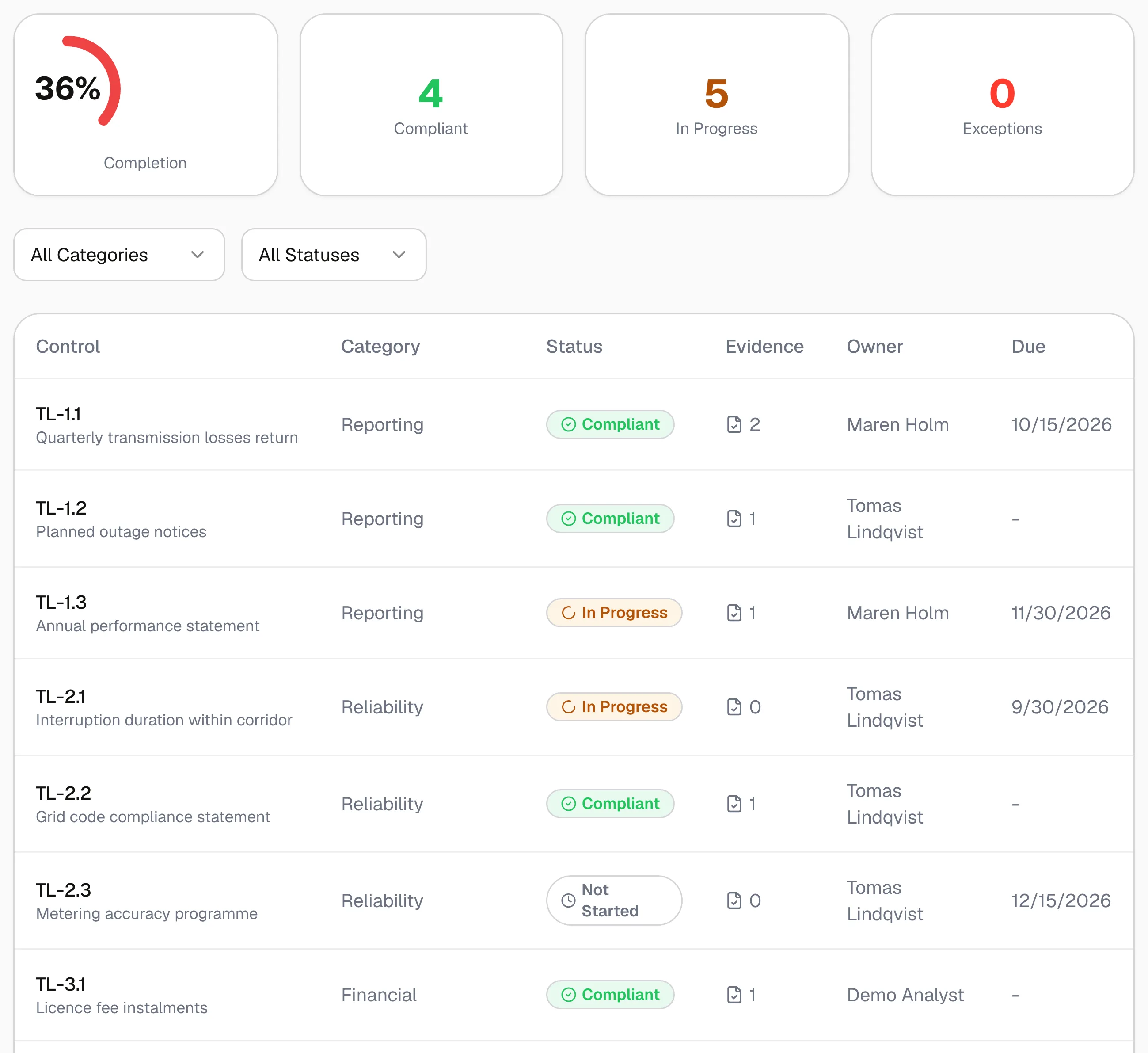
Compliance Studio · framework controls · Real screen, synthetic files · Swipe to pan the screen
Compliance Studio
Import the framework's controls, or your own list from a spreadsheet. Each control carries an owner, a status and the evidence on file, and the completion figure counts only the controls marked compliant.
The workflows
Each runs over the documents you choose and produces a grounded source briefing: what it read, held for approval, exported as a PDF. The controls, the evidence and the reports are Compliance Studio's.
01
Over the licence, the regulation or the contract you select. The run records what it read and holds for approval; the register itself is the controls above.
02
Over the policies and procedures that answer your controls, with every source on the run.
03
Over the evidence documents you select; what is missing shows on the controls, evidence by evidence.
04
Over the documents you select, its manifest on the run, exported as a PDF once approved.
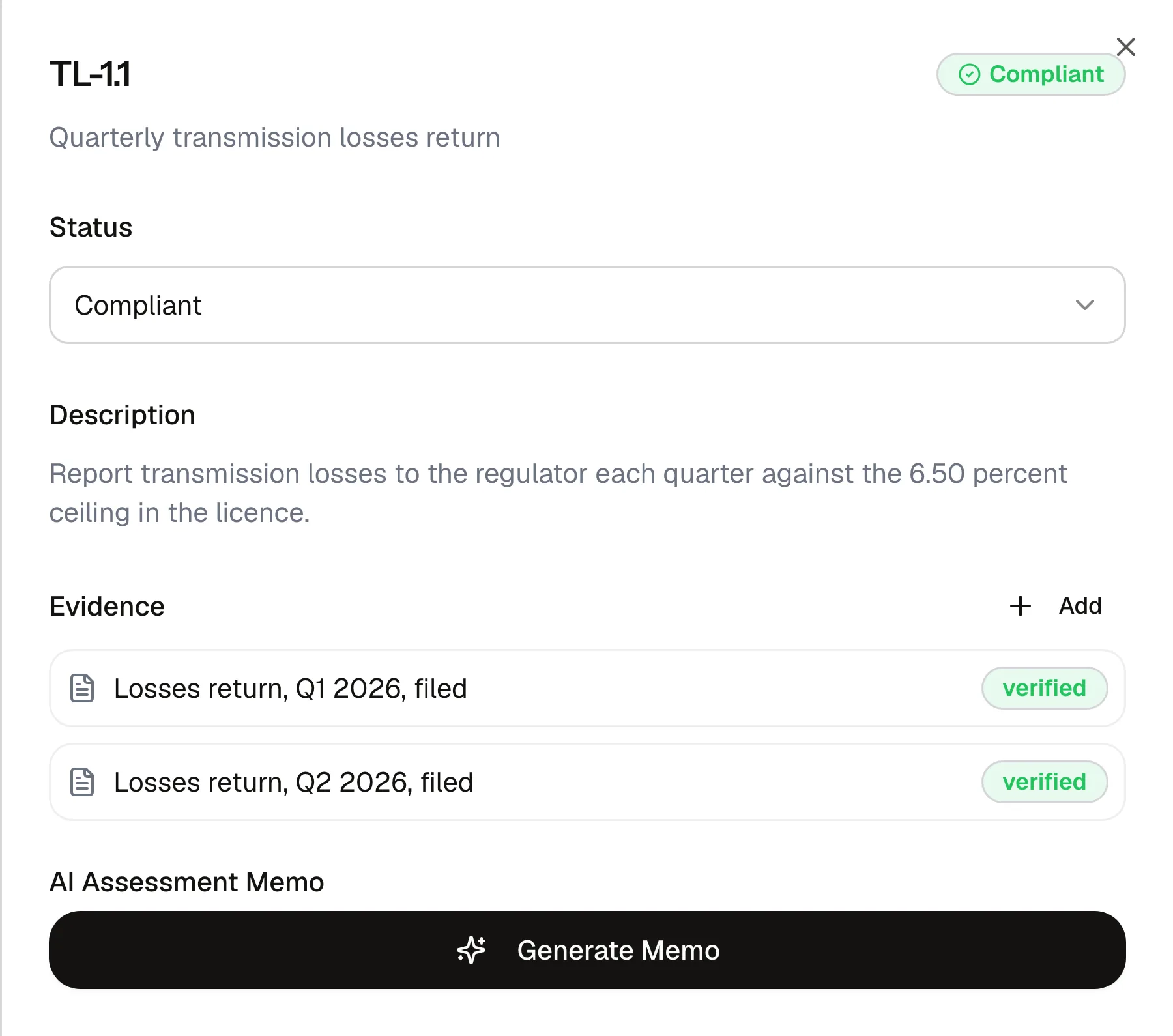
Compliance Studio · control and evidence · Real screen, synthetic files · Swipe to pan the screen
Evidence per control
Each item of evidence is attached to its control with a status. A control memo names the gaps and the remediation steps, so the auditor's question has an answer before it is asked.
Framework templates
Service Organization Control 2
Information security management systems
General Data Protection Regulation
Health Insurance Portability and Accountability Act
Payment Card Industry Data Security Standard
Licence conditions and regulatory obligations
Network and Information Security Directive 2
Center for Internet Security Critical Security Controls
Sector and national regulator templates ship for energy and banking in several jurisdictions; ask which ones cover yours.
Regulatory change
When the regulator publishes, you hear about it.
Regulatory watch raises an alert with a summary and the source page, and records your acknowledgement.
The comparison
Spreadsheets, a general AI assistant, enterprise search, a point GRC tool or an in-house chatbot, and where each fails when the auditor asks for the source.
Read the comparisonNext step
Bring the licence and the last audit's request list. We will import the controls and run the workflows with you.
Security
GDPR and CCPA compliant, ISO 27001 aligned, SOC 2 Type II in progress. Encrypted at rest and in transit. Your data never trains a model.
Security page